UI Polygon
Renders any regular or irregular polygon as a filled UI graphic.
UIPolygon
Graphic control for drawing custom polygons in the UI System
Contents
1 Overview
3 Methods
4 Usage
6 See also
Overview
Advanced polygon control with support for multiple vertices which can be manipulated to control the look and feel of the primitive
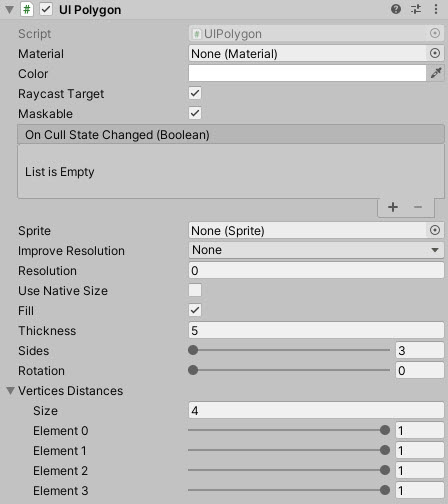
Methods
This component does not expose public methods beyond inherited behaviour.
Usage
Add the primitive control to your scene using:
“GameObject -> UI -> Extensions -> Primitives -> UI Polygon”
Properties
| Property | Description |
|---|---|
| Vertices | List of vertex positions defining the polygon. |
| Thickness | Stroke thickness when rendering as an outline. |
| Fill | Render as filled polygon when enabled. |
| Preserve Aspect | Maintain aspect ratio when resizing. |
| Border | Optional border size around the polygon. |
Alternatively, add the component using:
“Add Component -> UI -> Extensions -> Primitives -> UI Polygon”
Video Demo
See also
Credits and Donation
CiaccoDavide